Free Laptop Scams
Free laptop scams often imitate government benefits, nonprofits or real providers to collect money, Social Security numbers, benefit documents or other personal information. A legitimate laptop program should clearly identify who provides the device, why you qualify, what it costs and where your application is going.
Do not judge an offer by a government-style logo, the words EBT or Medicaid, or an “approved” badge. Verify the organization behind the offer before entering sensitive information.
Three signs to stop before applying
One unusual detail does not automatically prove fraud, but several together should make you stop and independently verify the offer.
Guaranteed approval
Real assistance programs have eligibility rules, documentation requirements, geographic limits or inventory constraints. “Everyone qualifies” and “guaranteed laptop” language is inconsistent with how legitimate programs normally work.
Government language with no real agency
Scammers can use official-looking seals, agency names or benefit terminology. The FTC warns that impersonators may invent government-sounding organizations or pretend to represent real agencies.
Payment before the offer makes sense
Be especially cautious when someone demands a processing fee, gift card, wire transfer, cryptocurrency or another hard-to-reverse payment before clearly identifying the provider and device terms.
How risky does the offer look?
Select every warning sign you actually see. This is not a fraud determination; it is a quick way to decide whether you should stop and investigate before sending money or documents.
“Apply for ACP now” is a major warning
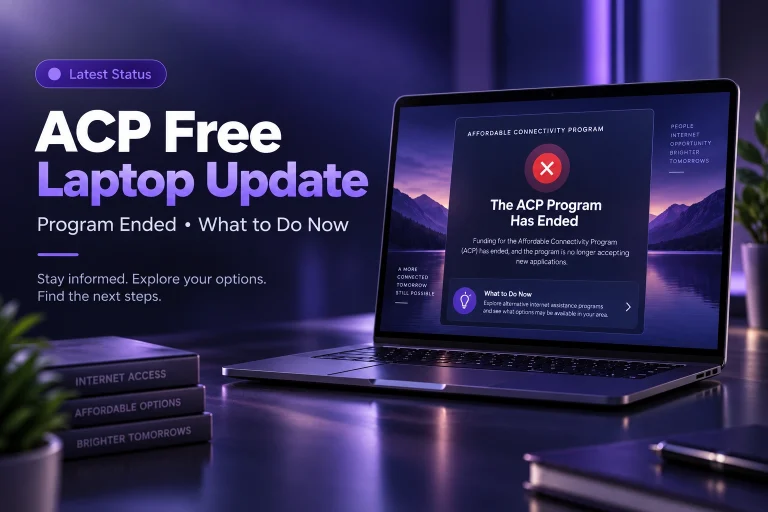
The Affordable Connectivity Program ended June 1, 2024. The FCC has warned consumers that some websites and provider materials continued advertising ACP enrollment or collecting personal information after the program ended.
Read the ACP free laptop update →A current page cannot legitimately enroll a new household into the ended federal ACP benefit.
Either way, do not submit information until the business clearly explains its current offer without relying on inactive ACP terms.
Verify that separate plan under its own present-day eligibility, price and device terms instead of assuming it is funded by ACP.
How to check a laptop offer
The goal is not to avoid every unfamiliar program. It is to establish a clear chain from the advertisement to the real organization that owns the application and the device.
See how to identify the actual provider →Find the legal or commonly recognized organization behind the offer. A generic phrase like “government benefits center” is not enough.
Confirm whether it donates laptops, sells refurbished computers, loans school devices, or only refers visitors to other offers.
Look for device price, shipping, activation, service, warranty and return terms. “Free” should not hide mandatory costs.
Every requested ID, benefit statement or income document should have an understandable purpose under the provider’s eligibility process.
Do not rely only on a link in an unsolicited text, social post or ad. Find the organization independently and compare the offer details before continuing.
What to do after a suspected scam
Act based on what you shared or paid. The right response is different for a card payment, bank transfer, password, Social Security number or uploaded identity document.
Contact the payment company
If money was sent, contact the card issuer, bank, payment app, wire service or other payment company quickly and ask whether the transaction can be reversed.
Change exposed passwords
If a password was entered on a suspicious site, change it immediately anywhere it was reused and turn on stronger account protection where available.
Protect your identity
If sensitive identity or financial information was shared, use official identity-theft recovery guidance appropriate to the exact information exposed.
Report the scam
Report suspected fraud to the appropriate consumer-protection authority and, when the issue involves misleading telecom or ACP advertising, the relevant communications complaint process.
You can still look for real laptop help
Avoiding scams does not mean every free or low-cost laptop offer is fake. Use established program routes and verify each one on its own terms.
Start with active programs
Compare nonprofits, refurbishers, school programs and local assistance that currently describe who they serve and what devices they offer.
Compare laptop programs →Apply in the right order
Choose the provider first, confirm its eligibility route, prepare only the documents it requests, then review price and inventory before finishing the application.
See the application process →Use benefits only as evidence when accepted
SNAP, Medicaid or Lifeline can sometimes help establish eligibility for a separate technology program. They do not automatically create a laptop entitlement.
Verify the provider before the promise.
A real offer should survive basic questions about ownership, eligibility, cost, inventory and privacy. If those answers are missing, do not send money or sensitive documents.